Google Pixel Tag in India: basic tracking and precision finding explained
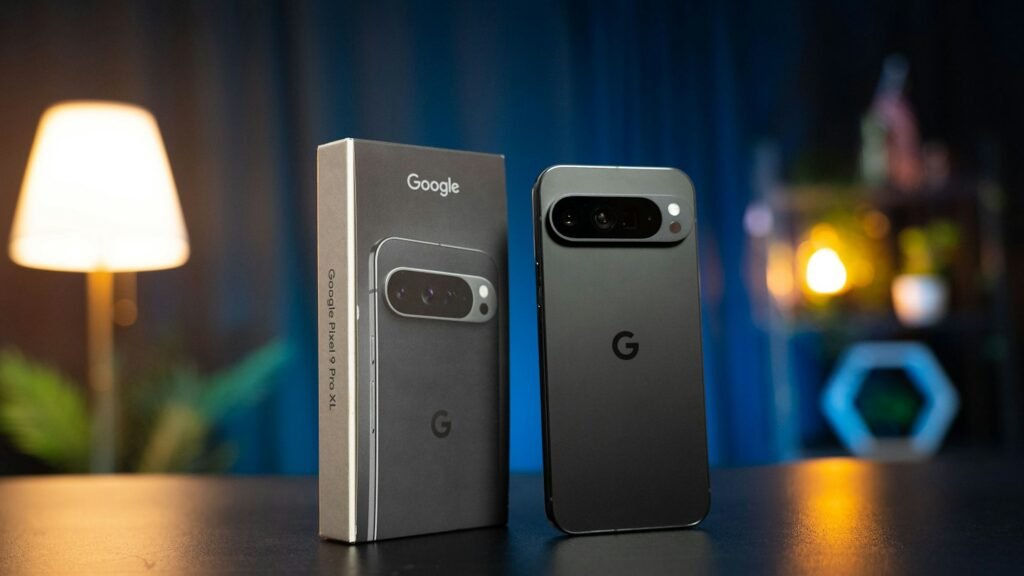
Google Pixel Tag is an item tracker that works with Find Hub. Google’s India listing gives Android 9 and later as the basic phone compatibility requirement. Before buying it mainly for metre-by-metre guidance, check a second detail. The tag supports Ultra-Wideband and Bluetooth Channel Sounding, and the phone must support the relevant technology for the corresponding finding feature. A handset that can pair with an item tracker does not automatically provide every nearby direction feature shown in marketing.
Google Store India’s Pixel Tag specification.
What the Google Pixel Tag India listing confirms
Google presents the tag as a way to keep track of objects such as keys, wallets and luggage. It lists a built-in speaker, a user-replaceable CR2032 coin-cell battery and a slim body measuring 28 by 46.1 by 5.4 millimetres. The India page lists single and four-pack configurations. Check the current local store entry for price, stock and delivery information before placing an order.
That physical shape matters once you decide where to put it. A tag mounted on keys has a different job from one slipped inside a bag. Check that it can be attached securely and that you can still hear it when it rings. If it is going into luggage, choose a place where you can retrieve it to replace the battery without having to empty the entire bag.
Google rates the tag IP67 under the conditions described in its specifications. Treat that as a specification for the product under test conditions. For a bag that regularly gets wet, an inside pocket with some protection remains a more sensible place for a battery-powered accessory than an exposed attachment. Check the manufacturer’s guidance if the tag has been dropped or the battery cover has been opened.
Why a map pin and a nearby direction are different
Think of two situations. You left a bag in another building, or you know the bag is in the right room but cannot see it. The first situation calls for a location estimate. The second calls for a way to narrow the search over a short distance. The same Find Hub interface can help with both, using different information.
Away from your handset, the tag can be detected by participating devices through the Find Hub network. Look at the time associated with a reported location before treating it as current. A detection can be useful when looking for an item, but the network may provide updates irregularly in places where few participating devices pass nearby. Bootpoot’s Android offline finding guide explains how to read the timestamp beside a map pin.
Nearby, a sound can be enough to find an object under a sofa cushion. Directional guidance is useful when a compatible phone can give you more detail about how far away it is and which way to look. Confirm which technology your exact model supports. A phone name shared by several variants may tell you less than its full model number and the relevant feature listing.
Check the phone you will actually use
Start with the person who normally needs to find the item. If you are buying a tracker for a parent, their phone and account matter more than yours. Check their Android version and whether Find Hub is available to them. Then look up the handset’s support for any precision feature you intend to rely on. That avoids purchasing access to a feature that works well on a demonstration phone but is unavailable on the device doing the searching.
Think through the initial pairing as well. Pair the tag with the intended owner, name it after the item and test it while the item is still nearby. Try making it play a sound and check what the app displays. Then place it in the bag or holder you plan to use and repeat the test. This makes it easier to learn how the tag behaves in your normal setup without trying to learn under pressure after an item has gone missing.
Which uses are worth paying for?
For keys regularly misplaced at home, an audible alert may solve the main problem. For luggage, the useful feature might be seeing where it was last detected. For a wallet hidden in the back of a drawer, the thin shape and nearby guidance can both matter. Choose based on the specific problem you have rather than the longest list of advertised functions.
The replaceable battery is a practical detail, especially if you intend to use several tags. Note the battery type when you set one up. If an item starts appearing less reliably, check its battery status and whether your phone is connected as expected before deciding the network is at fault.
The short buying checklist for India is to confirm the local listing, your exact phone and which finding feature you need most. Basic compatibility is the starting point. A sound, a map update and directional guidance each help in a different situation, which is why choosing the feature before buying is more useful than relying on the Android version number alone.
Related reading on Bootpoot · android offline finding.