EVE Online Fractured Skies Guide for Returning Players
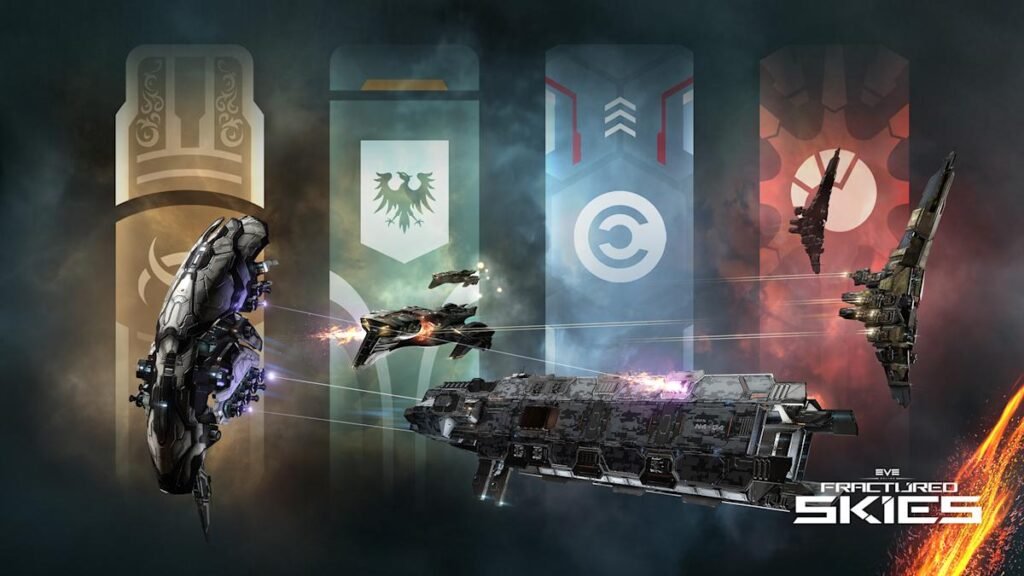
EVE Online Fractured Skies went live on 10 November 2026. If you are returning after a break, you can spend the first session getting comfortable with a ship in Starter Space, exploring the new Military Campaigns, or checking what changed in the interface. The expansion also adds navy attack battlecruisers and links activity in EVE Vanguard to campaign sites in EVE Online.
What changed in EVE Online Fractured Skies
The official launch notes describe four empire campaigns connected to a race for an artifact. Pilots can contribute through activities that include hacking, combat and mining, with no enlistment required to take part. The campaign has objectives that unlock bonuses for the corresponding faction. The developer describes the later battle as an expected event, so follow its announcements for timing.
Start by opening the campaign information in the client. Pick a contribution you understand, then look for the required items and where they are handed in. If you have time for only a short session, choose a route with a clear return point and enough time to dock before logging off. This is easier to manage than undocking first and reading the task details while travelling.
Start with a ship you can afford to lose
The developer’s expansion notes point new pilots to pre-fitted AIR Academy ships in Exordium. Use the starter options to compare activities without building a new fit from scratch. Try one brief outing with a clear aim, such as understanding which controls matter when exploring or following a beginner mission.
Returning players can apply the same idea with an inexpensive ship they already own. Open your hangar and separate equipment you know how to use from gear you want to test later. Before accepting an unfamiliar task, check where it sends you and what kind of risk the route involves. A successful first evening can be as simple as getting out, completing one objective and returning with the ship intact.
Try the interface changes in a quiet location
The updated HUD is offered as a feature preview. If you enable it, take a moment to locate the information you rely on under pressure. Find the indicators for damage, capacitor and active modules before trying a demanding fight. Take a screenshot of your usual layout so you have a point of reference if you change several settings together.
If you fly with others, tell your fleet that you are trying the interface before a difficult operation. Pick an activity where you can take your time. A short controlled test gives you a better sense of which controls are easier to read and which still need practice.
Check the Omega offer in your own account
The launch announcement says seven days of Omega can be claimed in the New Eden Store until 20 November, subject to the listed account conditions. An additional 25 PLEX gift has a separate deadline and applies to eligible Omega pilots. Open the store in the account you intend to play and read the terms attached to each offer.
Daily login gifts also have their own schedule. The official known issues thread notes a delay to the rewards at launch. If something is missing, compare what the client displays with the latest notice before assuming you missed a claim.
Choose one objective for the first evening
For a new pilot, learn the controls and try an AIR activity. For a returning pilot, check one campaign objective, revisit your fit and fly with a friend if that helps. Vanguard is a separate ground-combat experience with its own access conditions. For another recent PC release, see Bootpoot’s Dreadmoor early access guide.
Image from EVE Online. This material is used with limited permission of CCP Games. No official affiliation or endorsement by CCP Games is stated or implied.